Showing posts with label Alexa. Show all posts

Tuesday, July 26, 2022

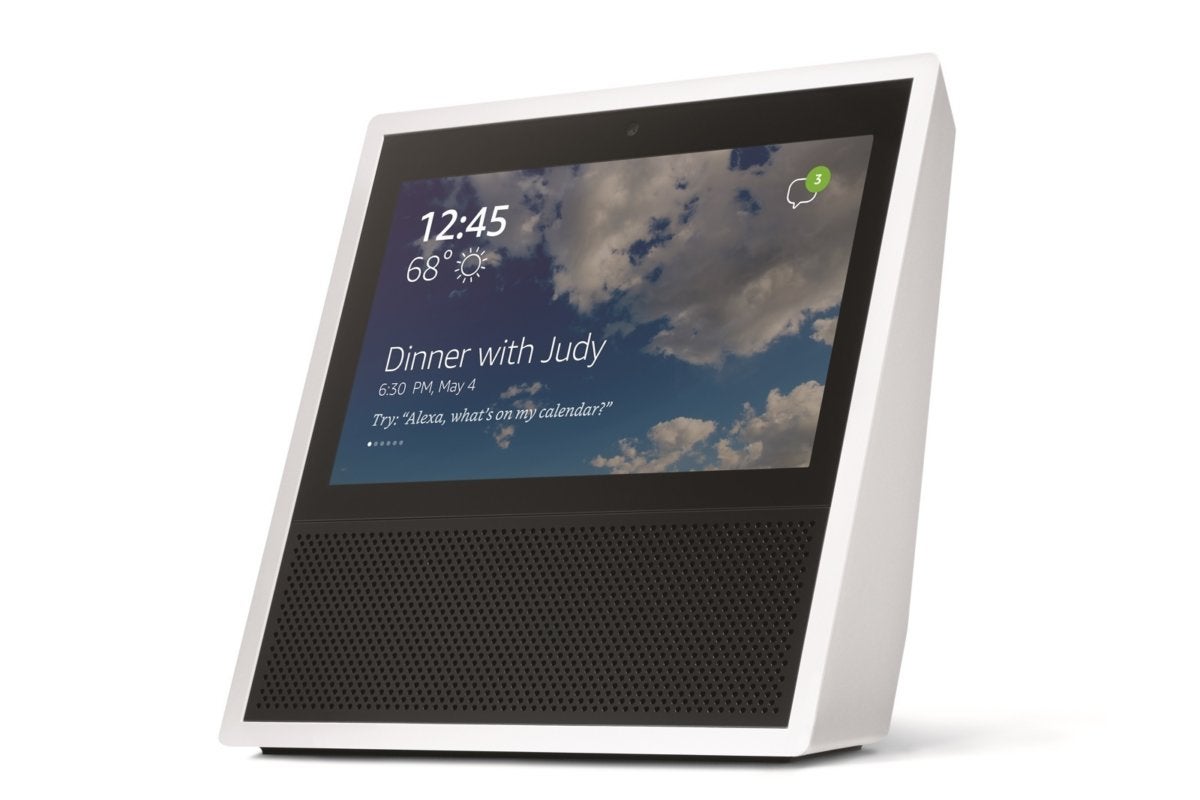
Tech Tips: The Echo Show


Tech Tips: News From Alexa

Contributed by Jerry Price, Assistive Technology Training Coordinator 


The Echo Show now offers call captioning in English, Spanish, French and

Portuguese.


Alexa Together offers customized alerts and urgent response services for individuals who need additional care, building a circle of support around your loved ones. The Alexa Together feature now allows up to ten caregivers for those in need of constant monitoring.


Shortly, Alexa will also offer Remote Assist, which will allow caregivers to set up routines and reminders.


Alexa now supports Best Buy’s Lively Urgent Response app. Now your loved ones can have 24/7 access to emergency and nonemergency services. If you build a personal profile, including medical conditions, medications and allergies, Lively Agents can offer an extra level of support.


New pharmacy features allow Echo devices to provide prescription reminders and ordering options.


Alexa has integrated Person and Package announcements for individuals with compatible security cameras and doorbells.


Finally, you can ask Alexa to follow your favorite baseball team to be proactively notified about scores, schedules and team news. Just say “Alexa, follow the Baltimore Orioles!”


Tuesday, July 19, 2022

Tech Tips: Alexa Devices Make Braille Fun


Tech Tips: Alexa Devices Make Braille Fun

Contributed by Jerry Price, Assistive Technology Training Coordinator 


Your Amazon Echo device offers two skills that can assist in learning braille. Braille Bot, the first skill, will tell you the dots for a particular letter. You can also describe the dots to Alexa, and it will respond with the correct corresponding letter. The second skill is called Braille Dot, which is an interactive, multiple-choice game that introduces uncontracted braille to new learners and reinforces uncontracted braille proficiency. Both skills are free to use and can be activated by asking your Alexa to open the skill. 


Wednesday, September 30, 2020

Tech Tips: Alexa is Changing


Tech Tips: Alexa is Changing

Contributed by Jerry Price, Assistive Technology Specialist


No need to panic, but the Alexa app from Amazon is going through some modifications.  First of all, the app now has a “hands-free” mode so that your personal assistant can assist you at all times.  You will also find the Alexa button at the top of the screen rather than at the bottom.  Secondly, the app itself is easier to navigate and places your favorite activities at the top.

These alterations will be rolling out over the next couple of weeks, so if your device has not upgraded yet, it will.


Monday, September 28, 2020

Tech Tips: Sports on Alexa and the Computer

 Tech Tips: Sports on Alexa and the Computer

Contributed by Jerry Price, Assistive Technology Specialist


This article will take a look at the four major professional sports:  MLB, NBA, NFL, and NHL.  Rather than look at the TV side of things, I will focus on radio play-by-play.


Major League Baseball (MLB) has an audio subscription by the month or season.  Once you go to mlb.com and subscribe to Game Day Audio, you will have access via your smartphone (if you download the app) and your computer.  You can even connect the service to your Alexa device by using the Amazon Alexa app.  Monthly cost is $2.99; season cost is $19.99.


National Basketball Association (NBA) has an app as well; however, I find it much easier to sign up through the web (nba.com) rather than through the app.  Once you sign up for the Audio League Pass, then you can sign in on the app, stream on your computer, or connect to your Alexa device through the dedicated app.  Cost is $9.99 for the season.


National Football League (NFL) has an app and the price is $99.  The service known as Game Pass can also be streamed on your computer.  At the present time, the NFL is not available on Alexa.


National Hockey League (NHL) games stream free through the NHL app.  Games are also available through the TuneIn Live service (see NFL) or the TuneIn Premium service.  If you try to stream games by going to nhl.com, you will be directed to TuneIn Premium.


Thursday, September 17, 2020

 Tech Tips: A Day in the

 Life of an Amazon Echo

Contributed by Jerry Price, Assistive Technology Specialist


5 AM:  I wake the humans for their work day.  While I have a general alarm sound, the humans have chosen a custom wake station.

5:02 AM:  The humans inquire about weather, humidity and pollen count.  They also inquire about new emails and shipping notifications.  The pollen count is a skill that can be added from Zyrtec.  Email must be connected to me through my app.
  
5:30 AM:  The humans ask to listen to a local radio station in order to learn what’s been happening in their locale.  I have the capability of playing thousands of radio stations from around the world.

6 AM:  I am asked to play classical music for the dog.  I have at my disposal dozens of custom music stations pre-programmed by Amazon, or I can access one of several classic radio stations from around the globe.  Usually I am asked to play KUSC from Los Angeles.  If you wish to read a newspaper or magazine, I can also connect to NFB Newline.  I can even connect to the Metropolitan Washington Ear.  

6:30 AM:  I am asked about appointments and reminders.  I can store appointments for all family members.  I can even create separate profiles.  

7:00 AM:  The work day begins.  Sometimes I am asked to play tech podcasts such as Dot to Dot, which highlights one of my skills, or RNIB Tech Talk, which reveals the latest in assistive technology.  I can also play Double Tap Radio, which is a series of live and recorded podcasts with a focus on technology for the blind.

8 AM:  As the work day progresses, I am sometimes asked to drop in on the office Echo upstairs.  This allows me to be used as an intercom.  I can also make phone calls, send text messages, or even make the coffee if a Wi-Fi coffeemaker is connected to me.

10 AM:  Time for a quick break.  I can give the latest news updates from dozens of news sources, play a stimulating game, or just help you relax with some guided meditation.  Want a quick workout?  I can do that, too!

12 PM:  Time for lunch.  I can suggest restaurants that deliver, give you some quick recipe ideas, or order pizza.  If you are considering dining out later, I can set up a reservation through my Open Table skill.

3:30 PM:  The work day is done!  Time to enjoy reading a book through Kindle or Audible.  Maybe play a challenging game of Family Trivial Pursuit, Song Quiz, or one of hundreds of other games.  Afternoon sports?  I have you covered there, too, as you can listen to hockey or football through the TuneIn Live subscription or connect to MLB and the NBA through my app.  

5 PM:  Let’s watch TV or a movie.  With an Echo Show, you can watch Amazon Prime Video, Netflix, Hulu and more.  I can even help you search for an interesting program to watch.  All you have to do is ask.  If you have an Alexa microwave, I can even make the popcorn!  Out of popcorn?  Just ask me to order it.  Feeling nostalgic and want to listen to some old-time radio?  I can play podcasts from a specific show or play live radio streams.  There are dozens from which to choose.

Just a reminder, I can also control the thermostat, dim the lights, or turn on devices that are connected to a smart plug.  With an Echo Show, I can make video calls to family members or identify items through my Show and Tell feature (just make sure you have the 10-inch Show).  Need an Uber ride or LYFT?  Yes, I can do that!

8 PM:  I can make reading or viewing recommendations, assist with household questions through my Wiki How skill, add items to your store list or To-Do list, take notes, and 10,000 other things!

Wednesday, September 9, 2020

Tech Tips: Assistive Technology Radio

Tech Tips: Assistive Technology Radio

Contributed by Jerry Price, Assistive Technology Specialist


Technology news is everywhere.  There are blog articles, podcasts, newsletters, and web sites dedicated to bringing you the latest and greatest in tech news, demos and information.  Believe it or not, there are actually radio and audio streams that also carry assistive technology happenings:


RNIB Connect Radio (Scotland)

https://en-gb.radioline.co/listen-to-insight-radio


AMI Audio Stream (Canada)

http://www.radio-canada-online.com/ami-audio


Double Tap Now Radio

https://streams.radio.co/sce8373d6b/listen


These stations are available on your Victor Reader Stream and your Amazon Echo device.


Thursday, July 30, 2020

Tech Tips: Alexa is Changing

Tech Tips: Alexa is Changing


Contributed by Jerry Price, Assistive Technology Specialist


No need to panic, but the Alexa app from Amazon is going through some modifications.  First of all, the app now has a “hands-free” mode so that your personal assistant can assist you at all times.  You will also find the Alexa button at the top of the screen rather than at the bottom.  Secondly, the app itself is easier to navigate and places your favorite activities at the top.

These alterations will be rolling out over the next couple of weeks, so if your device has not upgraded yet, it will.

Monday, March 30, 2020

Tech Tips: Games with Smart Speakers

Tech Tips: Games with Smart Speakers


Smart Speakers

Contributed by Jerry Price, Assistive Technology Specialist


Games are a great source of fun, excitement and building brainpower.  They are also useful for filling the gaps that often occur in our day-to-day routine.  As an extra bonus, they can keep the kids busy for hours at a time.  Here is a list of games that you can play with your Google device:


Animal Trivia
Are You Feeling Lucky
Carz Adventure
Disney Princess
Dustin from Stranger Things
Dwarf Mind
Hogwarts’s Identity
Islamic Quiz
Mickey Mouse Adventure
Multiplication Test
Powerful Quiz
Question of the Day
Song Quiz
Space Trivia
Tantalizing Trait Test
Test My Brain
Which Actor Do I Look Like
Which Avenger Am I
World Foods Trivia

Friday, February 21, 2020

Tech Tips: Alexa's Show & Tell

Tech Tips: Alexa's Show & Tell

Contributed by Jerry Price, Assistive Technology Specialist

Alexa show and tell
Image is taken from Amazon.com. 

Alexa now has a skill that will allow certain Echo devices to identify products that you hold in your hand such as “a can of sweet peas” or “green beans.”  The skill, called Show and Tell, is only available on the Echo Show 10 inch.  Consumers need to be aware that there are other versions of the Echo Show, but the Show and Tell feature does not presently work on those models.  You will also need a little practice learning to hold products within the camera range in order to get adequate feedback from the device.


Tuesday, January 21, 2020

Tech Tips: Alexa Skills

Tech Tips: Alexa Skills

Contributed by Jerry Price, Assistive Technology Specialist

alexa show 10


Alexa now has a skill that will allow specific Echo devices to identify products that you hold in your hand, such as “a can of sweet peas” or “green beans.” The skill called Show and Tell is only available on the Echo Show 10. Consumers need to be aware that there are other versions of the Echo Show, but the Show and Tell feature does not presently work on those models. You will also need a little practice learning to hold products within the camera range to get adequate feedback from the device.

Thursday, August 8, 2019

Tech Tips: Alexa


Tech Tips: Alexa

Contributed by Jerry Price, Assistive Technology Specialist


amazon alexa logo


Alexa now reads emails with ease!

Amazon Echo, Dot, and Fire Tablets now allow you to use Alexa with your email. Once connected, Alexa will allow you to read your email, reply, forward, and delete messages as needed. If you are a novice tech user, you may need assistance to enable this feature.

To enable this feature:
  • Launch the Amazon Alexa app on your phone.
  • Double-tap on the Menu button.
  • Swipe to find the Settings options and then double-tap.
  • Swipe to find the Calendar/Email functions, then double-tap.
  • At this point, follow the steps to add either an Email account, calendar, or both.