Showing posts with label TUG. Show all posts

Wednesday, October 26, 2022

Technology User Group Meeting: Google & Alexa


Technology User Group Meeting: 

Google & Alexa


Contributed by Jerry Price, Assistive Technology Training Coordinator 


On Saturday, November 5 th , the Technology User Group is pleased to present our 13 th annual look at assistive technology gifts for the holidays! Gadgets, gizmos and exciting products for the home, office and play. Most items profiled will cost less than $100. Many vendors will also be
profiling their wares in this special two-hour event.

Please note that in November, the Technology User Group will meet on the first Saturday of the month. The presentation will be virtual and may be joined by calling 319-527-4994. You do not have to RSVP for this event. The presentation will begin at 10 AM and last about 2 hours.

We look forward to meeting with you virtually on Saturday, November 5th, and hope that you will join us for other exciting events we have planned for 2022 and beyond.

If you would like to listen to previous TUG recordings, please
click here:
https://www.marylandlibraries.org/Pages/Technology%20User%2
0Group.aspx

Upcoming TUG Programs:
  • December 10: 10 AM, Top Websites to Bookmark for 2023 and the Best New Apps of 2022
  • January 7: 10 AM, The Maryland Technology Assistance Program, “Bringing Assistive Technology to Marylanders”
For more information about the Technology User Group, please contact Jerry Price at (410) 230-2446 or via email at assistive.technology@maryland.gov.


Tuesday, July 12, 2022

Technology User Group Meeting: August 13, 2022


Technology User Group Meeting: 

NaviLens and Apple


August 13, 2022


Contributed by Jerry Price, Assistive Technology Training Coordinator 


On Saturday, August 13th, the Technology User Group (TUG) will do a presentation concerning NaviLens and Apple AirTags.

NaviLens is a revolutionary labeling system that is simple to set up and use, allowing you to easily label and find identified products.  Imagine being able to spot a can of corn from nine feet away or even locate the entrance to a building!

Apple AirTags can help you find anything anywhere.  With an AirTag attached, your iPhone can help you locate items you’ve misplaced.  Are AirTags easy to set up if you are not confident with your iPhone?  Listen to this presentation to help you decide if they are worth the investment.
      
The presentation will be virtual and may be joined by calling 319-527-4994.  You do not have to RSVP for this event.  The presentation will begin at 10 AM and last about 60 minutes.

We look forward to meeting with you virtually on Saturday, August 13th, and hope that you will join us for other exciting events we have planned for 2022 and beyond.

If you would like to listen to previous TUG recordings, please click here:


Upcoming TUG Programs:

September 10th, 10 AM, the Pixel Phone
October 1st, 10 AM, iOS 16 & Editing Voice Memos

Follow the Maryland State Library for the Blind and Print Disabled (LBPD) on: 

Facebook at https://www.facebook.com/MDLBPD/
On Twitter at https://twitter.com/MDLBPD
On our blog at https://mdlbpd.blogspot.com/
And our website at www.lbph.maryland.gov

For more information about the Technology User Group, please contact Jerry Price at (410) 230-2446 or via email at assistive.technology@maryland.gov.

Monday, November 29, 2021

Technology User Group Meeting: December 11

 On Saturday, December 11, the Technology User Group will showcase the five best new apps to debut in 2021, as well as look forward into 2022 to highlight upcoming trends and the tech that will be disappearing. Have you discovered a smartphone app that you enjoy? Feel free to share information about the app with all of us.

The presentation will be virtual and may be joined by calling 319- 527-4994. You do not have to RSVP for this event. The presentation will begin at 10 AM and last about 60 minutes.

We look forward to meeting with you virtually on Saturday, December 11, and hope that you will join us for other exciting events we have planned for 2022 and beyond.


If you would like to listen to previous TUG recordings, please click here:

https://www.marylandlibraries.org/Pages/Technology%20User%2

0Group.aspx


Upcoming TUG Programs:

  • Saturday, January 8, 10 AM, AudioJack
  • Saturday, February 12, 10 AM, Getting the Most from your NLS E-Reader.


Follow the Maryland State Library for the Blind and Print Disabled

(LBPD) on:

  • Facebook at https://www.facebook.com/MDLBPD/
  • On Twitter at https://twitter.com/MDLBPD
  • On our blog at https://mdlbpd.blogspot.com/


And our website at www.lbph.maryland.gov For more information about the Technology User Group, please contact Jerry Price at (410) 230-2446 or via email at assistive.technology@maryland.gov.


Tuesday, May 18, 2021

Technology User Group Meeting

 Technology User Group Meeting


Contributed by Jerry Price, Assistive Technology Specialist


On Saturday, June 12, the Technology User Group will present the topic:  Amazon Prime – More Than Just a Delivery Service.  Many components are included in Amazon Prime, such as Prime Video, Prime Music, Prime Books, Prime Games, and many more.  Many of these skills can work with Alexa.  There are many tips, tricks, and secrets to learn to take full advantage of these services.


The presentation will be virtual and may be joined by calling 319-527-4994.  You do not have to RSVP for this event.  The presentation will begin at 10 AM and last about 90 minutes.


We look forward to meeting with you virtually on Saturday, June 12th, and hope that you will join us for other exciting events we have planned for 2021.


If you would like to listen to previous TUG recordings, please click here:

https://www.marylandlibraries.org/Pages/Technology%20User%20Group.aspx


Upcoming TUG Programs:


Saturday, July 10, 10 AM, Clubhouse, Facebook & Zoom.

Saturday, August 14, 10 AM, What’s new in iOS 15 & Jaws 2022.


Follow the Maryland State Library for the Blind and Print Disabled (LBPD) on:


Facebook at https://www.facebook.com/MDLBPD/

On Twitter at https://twitter.com/MDLBPD

On our blog at https://mdlbpd.blogspot.com/

And our website at www.lbph.maryland.gov


For more information about the Technology User Group, please contact Jerry Price at (410) 230-2446 or via email at assistive.technology@maryland.gov.


Wednesday, April 21, 2021

Technology User Group: Cooking Gadgets and Resources

  Technology User Group Meeting


Contributed by Jerry Price, Assistive Technology Specialist


On Saturday, May 8, the Technology User Group will conduct a presentation called Cooking Blind. Many visually impaired food aficionados will share their tips and tricks for food preparation as well as gadgets, recipe resources, and instructional sites to make that perfect dish. All are welcome to come and share their experiences with cooking as well as the lessons they have learned.


The presentation will be virtual and may be joined by calling 319-527-4994. You do not have to RSVP for this event. The presentation will begin at 10 AM and last about 90 minutes. 


We look forward to meeting with you virtually on Saturday, May 8th, and hope that you will join us for other exciting events we have planned for 2021.


If you would like to listen to previous TUG recordings, please click here:
https://www.marylandlibraries.org/Pages/Technology%20User%20Group.aspx

Upcoming TUG Programs:

  • Saturday, June 12, 10 AM, Getting the most from Amazon Prime
  • Saturday, July 10, 10 AM, Clubhouse, Facebook & Zoom.

Follow the Maryland State Library for the Blind and Print Disabled (LBPD) on:

For more information about the Technology User Group, please contact Jerry Price at (410) 230-2446 or via email at jerry.price1@maryland.gov.


Thursday, February 18, 2021

Technology User Group Meeting

 Technology User Group Meeting


Contributed by Jerry Price, Assistive Technology Specialist


On Saturday, March 13th, the Technology User Group has an exciting program for you!

First, we will look at the Wayaround app.  How useful is it?  How does it compare to other labeling systems?  How easy are the app and labels for the average smartphone user?  Then we will look at how to add a flash drive to your iPhone.  Finally, we will take a quick look at the Voice Assistant feature in Freedom Scientific’s Fusion application.
 
The presentation will be virtual and may be joined by calling 319-527-4994.  You do not have to RSVP for this event.
 
The presentation will begin at 10 AM and last about 90 minutes.

We look forward to meeting with you virtually on Saturday, March 13th, and hope you will join us for other exciting events we have planned for 2021.

If you would like to listen to previous TUG recordings, please click here:
https://www.marylandlibraries.org/Pages/Technology%20User%20Group.aspx

Upcoming TUG Programs:
  • Saturday, April 10, 10 AM, Voice Dream Suite
  • Saturday, May 8, 10 AM, Cooking Gadgets & Resources.
 
Follow the Maryland State Library for the Blind and Print Disabled (LBPD) on: 

  • Facebook at https://www.facebook.com/MDLBPD/
  • On Twitter at https://twitter.com/MDLBPD
  • On our blog at https://mdlbpd.blogspot.com/
  • And our website at www.lbph.maryland.gov

For more information about the Technology User Group, please contact Jerry Price at (410) 230-2446 or via email at jerry.price1@maryland.gov.

Tuesday, January 12, 2021

Tech Tips: Microsoft Edge Makes Browsing Fun Again


Microsoft Edge Makes Browsing Fun Again

Contributed by Jerry Price, Assistive Technology Specialist


One of the tools built within the new Microsoft Edge is call Immersive Reader.  When used, this tool weeds out links, ads, and other detritus which ruins the experience of reading articles and items of interest.  Here’s how it works.  Find a news article or newsletter story you wish to read.  When you are on the web page with the news article press Function 9.  If the web page is designed to work with the Immersive Reader utility, it will condense and read as a continuous article.  Sometimes, there is even a “Read Aloud” button.  To get out of Immersive Reader, just press Function 9 again.


Monday, November 23, 2020

Tech Tips: Jaws and Audible Sync Now Compatible

 JAWS AND AUDIBLE SYNC NOW COMPATIBLE

Contributed by Jerry Price, Assistive Technology Specialist


With the release of Jaws 2021, the nation’s most popular screen reader can now effectively interact with

Audible Sync. Audible Sync is a utility program used by Audible to download books to third-party

players, such as the Victor Reader Stream. Issues arose when Audible, an Amazon audiobook company,

switched its device manager software and left new customers scrambling to find useful solutions to

enable the application.

Monday, August 17, 2020

Technology User Group Meeting: 9/12

 Technology User Group Meeting


Contributed by Jerry Price, Assistive Technology Specialist


On Saturday, September 12, the Technology User Group is pleased to welcome J. J. Meddaugh, who will be giving us a virtual demonstration of the BlindShell mobile phone.  This phone is designed for the blind, having a flip phone design with some smartphone capabilities.  Those who would benefit the most from this demo will not receive this email, so it is imperative that you spread the word to your friends and family.

J. J. Meddaugh from atguys.com is one of the frequent hosts of the Blind Bargains Podcast.

The presentation will be virtual and may be joined by calling 319-527-4994.  You do not have to RSVP for this event.

The presentation will begin at 10 AM and last about 60 minutes.

We look forward to meeting with you virtually on Saturday, September 12th, and hope that you will join us for other exciting events we have planned throughout the year.

If you would like to listen to previous TUG recordings, please click here:

https://www.marylandlibraries.org/Pages/Technology%20User%20Group.aspx

Upcoming TUG Programs:

  • Saturday, October 3, 10 AM, Lookout, the Amazing Android App
  • Saturday, November 14, 10 AM, AT Gifts for the Holidays
  • Saturday, December 12, 10 AM, Connecting Smart Devices to Alexa & Google Nest

For more information about the Technology User Group, please contact Jerry Price at (410) 230-2446 or via email at jerry.price1@maryland.gov.


Thursday, July 2, 2020

Technology User Group: July Meeting

Technology User Group: July Meeting

Contributed by Jerry Price, Assistive Technology Specialist


On Saturday, July 11th, we are doing a lively presentation as we take a first look at IOS 14.  As the operating system behind the iPhone changes so does its features and skills.  In addition, we will look at 3 paid apps:

 Supersense AI.  This app is a text to speech app which offers an easier approach to reading mail, menus, currency, and more.

 Ariadne GPS.  This GPS app not only pinpoints your location but outlines the relevant points ahead and behind you.

Digit Eyes.  While not new, this app features bar code scanning abilities and much more.


The presentation will be virtual and may be joined by calling 319-527-4994.  You do not have to RSVP for this event. The presentation will begin at 10 AM and last about 90 minutes.


We are looking forward to an exciting 2020, and we look forward to meeting with you virtually on Saturday, June 13th.


If you would like to listen to previous TUG recordings, please click here:

https://www.marylandlibraries.org/Pages/Technology%20User%20Group.aspx


Upcoming TUG Programs:

 Saturday, August 8, 10 AM, A Presentation by OrCam.

Saturday, September 12, 10 AM, the BlindShell Mobile Phone.


Follow LBPH on:

Facebook at www.facebook.com/mdlbph

On Twitter at www.twitter.com/md_lbph

On our blog at https://mdlbph.blogspot.com/

And our website at https://lbph.maryland.gov


For more information about the Technology User Group, please contact Jerry Price at (410) 230-2446 or via email at jerry.price1@maryland.gov.


Tuesday, March 31, 2020

Tech Tips: Shared Resources: COVID-19

Tech Tips: Shared Resources


ios logo

Contributed by Jerry Price, Assistive Technology Specialist


All of these websites are accessible to screen readers and give up to date, accurate information relating to COVID-19:


Center for Disease Control

Coronavirus Resources 2019
https://www.cdc.gov/coronavirus/2019-nCoV/index.html


Maryland Department of Health

Coronavirus Resources
https://coronavirus.maryland.gov/


Maryland Counties Resource Page

https://cchd.maryland.gov/covid-19-hotlines-and-websites-for-other-counties/


Accessible COVID-19 statistics tracker

https://cvstats.net/

Friday, February 21, 2020

Tech Tips: Alexa's Show & Tell

Tech Tips: Alexa's Show & Tell

Contributed by Jerry Price, Assistive Technology Specialist

Alexa show and tell
Image is taken from Amazon.com. 

Alexa now has a skill that will allow certain Echo devices to identify products that you hold in your hand such as “a can of sweet peas” or “green beans.”  The skill, called Show and Tell, is only available on the Echo Show 10 inch.  Consumers need to be aware that there are other versions of the Echo Show, but the Show and Tell feature does not presently work on those models.  You will also need a little practice learning to hold products within the camera range in order to get adequate feedback from the device.


Tuesday, February 11, 2020

Tech Tips: Rotor on iOS

Tech Tips: Rotor on iOS

Contributed by Jerry Price, Assistive Technology Specialist

ios rotor gesture

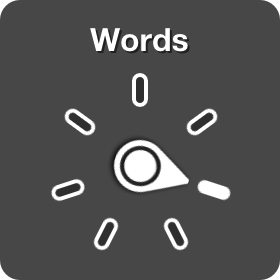
The rotor gesture for the iPhone is considered to be the hardest move to master.  Place your thumb and forefinger in the center of the screen and turn to the left (counterclockwise).  As you turn, you should hear items such as language, speaking rate, words, characters, etc.  Of these, the speaking rate is probably the most important to a new smartphone user.  Once you hear the device say speaking rate, then you can either flick up with one finger to increase the speaking rate or flick down with one finger to decrease it.  Once the speaking rate is set, you may want to do the rotor move again so that the focus in no longer on that option.  

There is a second option if the rotor gesture should prove to be too difficult.  Place your forefinger from one hand in the center of your phone.  Now take the forefinger from your other hand and begin to make a semi-circle above the finger that is planted on the phone.  You should hear the options mentioned above.

If you want to add or subtract the options mentioned in rotor, ask Siri to launch your voiceover settings and swipe to rotor.  Now you can select or deselect items by doing one finger double tap on each item presented.

Friday, December 20, 2019

Technology User Group: Important Information

Technology User Group: Important Information

Contributed by Jerry Price, Assistive Technology Specialist


TUG boiler plate


Change is coming to the Technology User Group for 2020

Beginning on January 11, 2020, and running through December 12, The Technology User Group will be doing presentations from LBPH in Baltimore.  In addition, patrons can call in by phone so to listen in and enjoy the guest speakers and demonstrations.


Upcoming Technology User Group Presentations

January 11:  
Understanding 3D Audio and a look at the Amazon Echo Studio

February 8:  
A Quick Look at New Streaming Video services such as Disney Plus and Apple Plus

March 14:   
A Presentation by OrCam


All presentations will begin at 10 AM and last about 90 minutes


Contact

If you have any questions, contact jerry.price1@maryland.gov for more information. 

Tuesday, December 17, 2019

Tech Tips: Four Finger Tap

Tech Tips: Four Finger Tap

Contributed by Jerry Price, Assistive Technology Specialist

Phone open to messenger setting

One of the more challenging gestures for using Voiceover is the four-finger tap.  Of course, you do not have to use four fingers on one hand but can use two fingers from both hands as long as there is a total of four.

  • Four-finger tap near the top of the screen:  Selects the first item on the screen
  • Four-finger tap near the bottom of the screen:  Selects the last item on the screen
  • Four Finger double-tap:  Starts and stops help.

For more great tips like this, subscribe to this blog or email Jerry Price to be added to his Tech Talk newsletter. 

Tuesday, October 15, 2019

Tech Tips: ScripTalk

Tech Tips: ScripTalk

Contributed by Jerry Price, Assistive Technology Specialist


ScripTalk iOS app icon


En-Vision America has recently updated and re-released ScripTalk Mobile, an iOS application that allows printed prescription labels to be read by individuals with vision impairment or blindness. 

Participating pharmacies will use an RFID enabled tag on prescription bottles. These tags will enable the iOS app to utilize any Near Feild Communication (NFC) enabled the iOS device to read a prescription bottle with ease. 

Which iOS phones work with NFC? Unfortunately, iPhones 7 and up will be the only phones that are able to take advantage of this product. 

Don't have an iOS phone 7 or above? En-Vision America still offers other ways for individuals with vision impairments to safely access their prescriptions. 

For more information, please read the following articles and listen to the following review by Sam at the BlindLife:


Friday, August 9, 2019

Tech Tips: TapTapSee

Tech Tips: TapTapSee

Contributed by Jerry Price, Assistive Technology Specialist


tap tap see logo
TapTapSee is a free iOS and Android application that allows visually impaired users to identify objects, money, and surroundings by using their smartphone. Using CloudSign Image Resolution, TapTapSee utilizes the smart device's camera and voice-over functions to take a picture or video and have that image or video described to the user.

To use this application, users do have to have to agree to a "terms of service," which grants the application access to the phone's settings, camera, and photo gallery. Once installed and activated, users will be able to launch the application. Inside TapTapSee, users will find the camera button in the middle of the screen. Best practices indicate that users should hold the smart device between 4 and 6 inches away from the object they are photographing. By double-tapping with one finger on the camera button, a photograph will be taken. Because the image is being processed via Cloud technology, it may take a minute or two to complete considering the picture.

If users do not get a satisfactory description, retaking the image at a different angle may be warranted.

To learn more about this application, visit: https://taptapseeapp.com/

Thursday, August 8, 2019

Tech Tips: Alexa


Tech Tips: Alexa

Contributed by Jerry Price, Assistive Technology Specialist


amazon alexa logo


Alexa now reads emails with ease!

Amazon Echo, Dot, and Fire Tablets now allow you to use Alexa with your email. Once connected, Alexa will allow you to read your email, reply, forward, and delete messages as needed. If you are a novice tech user, you may need assistance to enable this feature.

To enable this feature:
  • Launch the Amazon Alexa app on your phone.
  • Double-tap on the Menu button.
  • Swipe to find the Settings options and then double-tap.
  • Swipe to find the Calendar/Email functions, then double-tap.
  • At this point, follow the steps to add either an Email account, calendar, or both.

Interested in Assistive Technology?

Interested in Assistive Technology? 

Contributed by Jerry Price, Assistive Technology Specialist


TUG boiler plate


What do you think of when you hear the term "Assistive Technology?"

For our purposes, it refers to any device which can be used by blind or low vision individuals. This term applies even if the device itself was not designed initially with blind or low vision users in mind. An example of this technology would be an air fryer with dials rather than digital menus, or perhaps using Alexa at home or in the office.

These devices are often the discussion of the Technology User Group or TUG meetings. TUG meetings are monthly get-togethers of individuals who want to explore assistive technology, share and learn new technology skills, and discuss the latest happenings in the tech world.

TUG meetings are typically held once per month between March and November. While many are in Baltimore, the meetings are also held across the state; upcoming locations include Leisure World in Silver Spring and cities like Annapolis and Columbia.

LBPH will be hosting it's annual Assistive Technology Gifts for the Holidays event, which acts as a capstone for the TUG meetings. This event, which has been a favorite among library patrons for years, will be held on November 9. More details will be released as they become available.

What You Need to Know About iOS 13

What you need to know about iOS 13

Contributed by Jerry Price, Assistive Technology Specialist


Apple iOS logo

iOS is the operating system for Apple devices such as iPhones, iPads, and iPod Touches. Each year in September, Apple launches an updated version of its software, which can have many surprising results. 

As the iOS software becomes more sophisticated, many older devices are not eligible for or able to be upgraded. In the case of this year's update, iPhones 6 and older will not be able to be updated with iOS 13.

Additionally, the 2013 edition of the iPad Air, the second and third generation of the iPad Mini, and all versions of the iPod Touch (barring the most recent production) are unable to be upgraded with iOS 13.

The 2013 iPad Air, 2 nd and third generation of the IPad Mini, and all versions of the iPod Touch except the newest one will have a similar fate.

The software update is currently under Beta review (testing). Some of the proposed changes in the software include the use of punctuation in Voiceover. The proposed amendment will allow Voiceover users to set their punctuation levels to reflect read all punctuation, most punction, some punction, or no punctuation. An additional update in iOS 13 would allow Voiceover to provide better and more accurate feedback when taking photographs. Not only will the device tell a user if there are faces in the shot, but how many faces and where they are in the frame. It will also indicate if the user is tilting the phone when taking a photograph. 

Another significant update currently under review is the ability for Voiceover to skip reading Emojis. Currently, there is no way to turn off the reading of Emojis, and the update will allow users to skip having this item read to them. 


The iOS 13 upgrade is still over a month away, and many of the proposed feature enhancements are subject to change. There is also time for Apple to include additional features not yet mentioned here.